


EasyDraw V4 Pen Plotter – Drawing and Writing Machine (Fully Assembled)
EasyDraw V4 Pen Plotter – Drawing and Writing Machine (Fully Assembled)
Couldn't load pickup availability
-
Ordered
- - -
Order Ready
- - -
Delivered

EasyDraw V4 Pen Plotter – Drawing and Writing Machine (Fully Assembled)
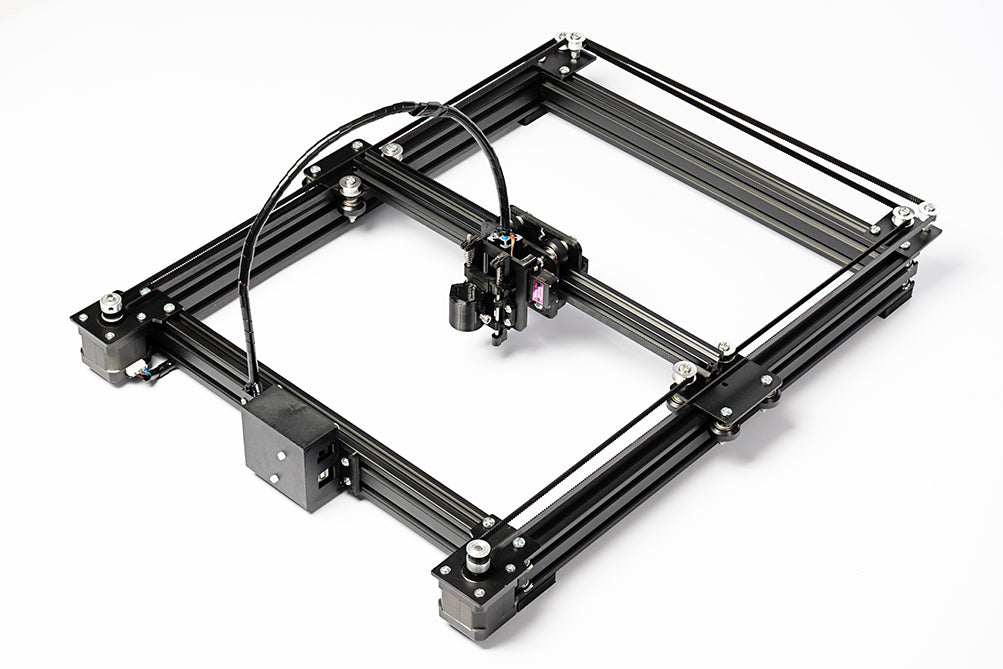
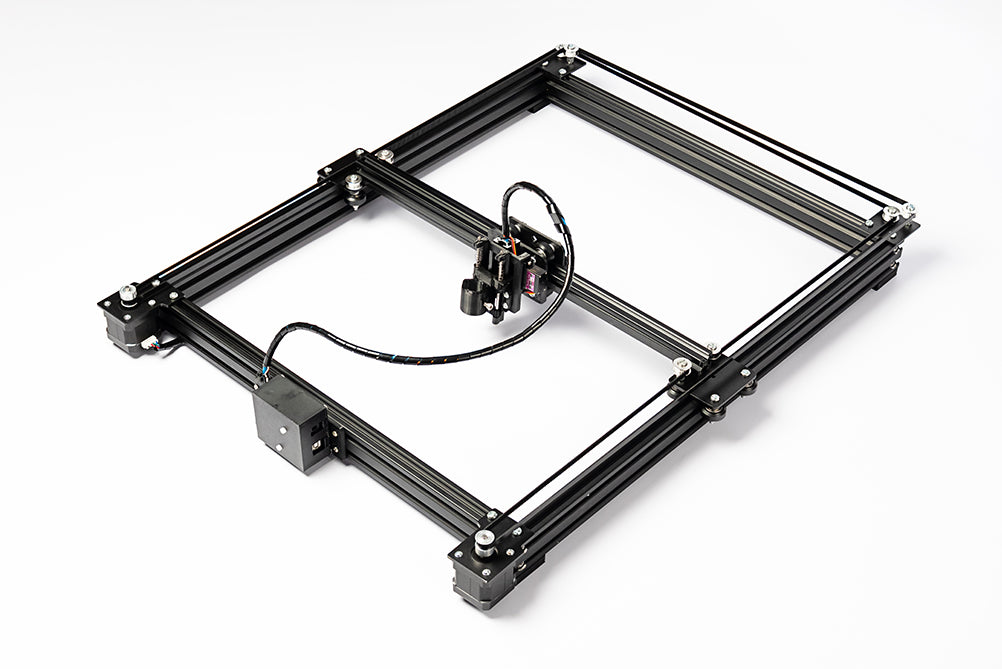
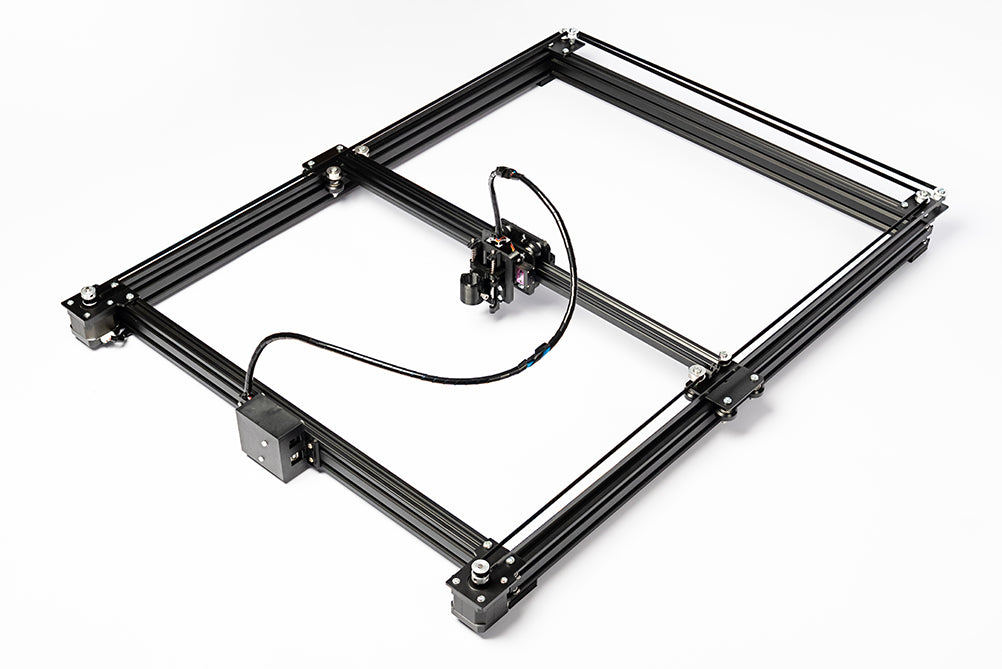
EasyDraw V4 is a fully assembled pen plotter with a full aluminium frame. It writes handwriting, signs signatures and draws detailed artwork with real pens on A4, A3 or A2 paper. It is up to 50% faster and more stable than EasyDraw V3, and works with free Inkscape software and the AxiDraw extension, so you can start plotting straight out of the box.
- Full metal frame – aluminium extrusion frame supported on all four sides, with a metal gantry plate, V-wheels and NEMA 17 motors, so it stays steady and accurate at high speed.
- Three sizes – choose A4, A3 or A2 to suit your work, from notes and letters to large artwork.
- Writes on any flat surface – paper, notebooks, envelopes and card.
- Repairable and upgradeable – powered by our own EasyDraw EBB Control Board (EBB firmware v3.0.3), and a spare pen-lift servo motor is included in the box.
Choose your size
| Size | Drawing area | Machine size (L × W × H) | Packed weight |
|---|---|---|---|
| A4 | 230 × 317 mm | 550 × 450 × 120 mm | 5.9 kg |
| A3 | 317 × 440 mm | 680 × 555 × 120 mm | 6.5 kg |
| A2 | 440 × 614 mm | 860 × 675 × 120 mm | 7.8 kg |
Easy to use
Operating the EasyDraw V4 is straightforward: download the software, import your image or text, and click “Apply.” The machine will proceed to draw or write automatically. See the full setup and tutorial video in the product description.
Transform photos into drawings, effortlessly
EasyDraw V4 does the hard work for you, just set it up and watch your artwork come to life!
EasyDraw V4 Demo video

Frequently Asked Questions
Which size should I choose?
Which size should I choose?
A4 is ideal for letters, notes, signatures and everyday use. A3 suits bigger drawings and posters, and A2 is for large artwork. All three sizes use the same software and the same parts, and all are fully assembled.
How do I use this machine?
How do I use this machine?
You need to install the Inkscape software. The download link is provided in the product description, and it is available for both Windows and Mac.
Once the software is installed, connect the USB cable to the machine. Then refer to the full tutorial video (available in the product description), which guides you step by step.
Do I have to assemble the machine?
Do I have to assemble the machine?
No, the machine comes fully assembled and ready to use right out of the box.
Is the software free or paid?
Is the software free or paid?
Inkscape is open-source and free to use.
What is the lifespan of this machine?
What is the lifespan of this machine?
The EasyDraw V4 features a highly repairable, field-serviceable design for long-term use. No parts on the EasyDraw V4 require regular replacement. However, if you are a heavy user, you may need to replace the MG90S servo motor (which controls the pen’s up-and-down movement) once a year. The replacement part costs $10 plus shipping from us, or you can purchase it from Amazon. Replacing it is very easy — just unscrew two screws and swap in the new servo motor.
This is the only maintenance required. The rest of the machine is built to last more than 10 years with proper care. A spare MG90S servo motor is included in the box.
What about after-sales support?
What about after-sales support?
EasyDraw V4 comes with lifetime technical support. We stand by our machines and are always here to help whenever you need assistance.
You can contact us at contact@makerq.com
What is the warranty on this product?
What is the warranty on this product?
The machine includes a 3-month warranty. If any parts are damaged within this period, contact us via WhatsApp/Phone: +91 8590094244 or email contact@makerq.com . We will send replacement parts at no cost and guide you through repairs. After the warranty expires, replacement parts will be available for purchase.
Do I have to pay import tax and customs duties?
Do I have to pay import tax and customs duties?
All products on our website (MAKERQ.COM) are shipped from India via postal service. For international orders, import taxes and customs duties may apply. Please track your shipment to ensure timely customs clearance.
Does EasyDraw work with NextDraw Merge?
Does EasyDraw work with NextDraw Merge?
Yes. We've tested EasyDraw with Bantam Tools NextDraw™ Merge, which writes personalised letters and envelopes from a spreadsheet. NextDraw Merge is paid software sold separately by Bantam Tools. Maker Q is not affiliated with Bantam Tools.
AxiDraw, NextDraw and Bantam Tools are trademarks of their respective owners. EasyDraw is not made by or affiliated with them.
Software Tutorial Video Timestamps
0:00 - Intro | 0:11 - Unboxing | 0:21 - Attaching Pen Holder | 0:32 - Software Installation | 1:22 - Setting Page Size | 1:38 - Outline Drawing | 3:20 - Pause, Resume, and Stop | 3:44 - Shading | 5:01 - Single Line Drawing | 5:29 - Single Line Drawing from Photo of Text | 5:54 - Multi-Coloured Shading | 7:22 - Signature | 9:42 - Outline Text | 10:15 - Text with Shading | 10:51 - Handwriting Style Text | 11:38 - Multi-Coloured Text | 14:01 - Writing on Ruled Paper | 15:21 - Adding Fonts | 16:33 - Drawing Portrait | 18:23 - Colour Portrait | 19:42 - Increasing Speed | 19:44 - Reset Settings
Software Tutorial Video

Software Downloads:
Windows
1. Download and run the AxiDraw software installer for Windows: Download link
- The installer is an executable, named “AxiDraw_395.exe”; Unzip, open, and run it.
2. Download and install Inkscape version 1.4.4 from the download page at Inkscape.org. (Most users will want the 64-bit version and the “MSI” installer.)
3. Download and run the D-bot software.Download link
4. Download free SVG fonts:Download link
Mac
For macOS 10.15 Catalina or newer
Our primary release of the AxiDraw software is available for Inkscape 1.4.4, and works on macOS 10.15 Catalina or newer, on both Intel and Apple Silicon architectures.
1. Download and run the AxiDraw installer (30 MB).
2. Download and install Inkscape 1.4.4 for Mac. (Versions for Intel and Apple Silicon processors are available. If you aren’t sure which you have, pick Intel.)
3. Download and run D-bot software.Download link
4. Download free SVG fonts:Download link
For older macOS click here
Specifications
| Frame | Aluminium extrusion, full frame supported on all four sides |
| Motion | Delrin V-wheels, NEMA 17 stepper motors |
| Speed | Up to 50% faster than EasyDraw V3 |
| Pen size | Holds pens up to 17 mm diameter |
| Writes on | Paper, notebooks, envelopes, card – any flat surface |
| Power | 24 V 3 A adapter (included) |
| Connection | USB Type-B |
| Controller | EasyDraw EBB Control Board, EBB firmware v3.0.3 |
| Software | Inkscape + AxiDraw extension (free). |
| Computers | Windows 10 or newer, macOS 10.15 Catalina or newer |
| Assembly | Fully assembled, ready to use |
EasyDraw V4 vs EasyDraw V3
| EasyDraw V4 | EasyDraw V3 | |
|---|---|---|
| Design | Full frame, supported on all four sides | Cantilever, pen arm supported on one side |
| Frame | Aluminium extrusion and metal gantry | 3D-printed and injection-moulded parts |
| Speed | Up to 50% faster | Standard |
| Paper sizes | A4, A3 and A2 | A4 |
| Power | 24 V | 12 V |
| Software | Same | Same |
Warranty and shipping
- Warranty: 3 months, plus lifetime technical support
- Shipping: ships from India, delivery in 15–25 days
Items Included in the Box:
1 × EasyDraw V4 CNC Plotter
1 × 24V 3A Power Adapter
1 × Power Cord
1 × USB Cable
1 × Spare MG90S Servo Motor
Machine Outer Dimensions (L × W × H):
A4 Model: 550 × 450 × 120 mm
A3 Model: 680 × 555 × 120 mm
A2 Model: 860 × 675 × 120 mm